Keebin’ with Kristina: the One With the Ultimate Portable Split
What do you look for in a travel keyboard? For me, it has to be split, though this condition most immediately demands a carrying solution of some kind. Wirelessness I can take or leave, so it’s nice to have both options available. And of course, bonus points if it looks so good that people interrupt me to ask questions.
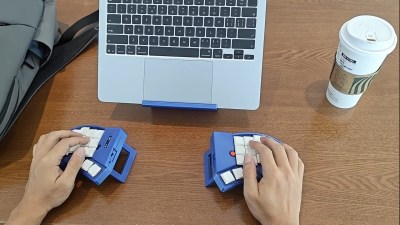
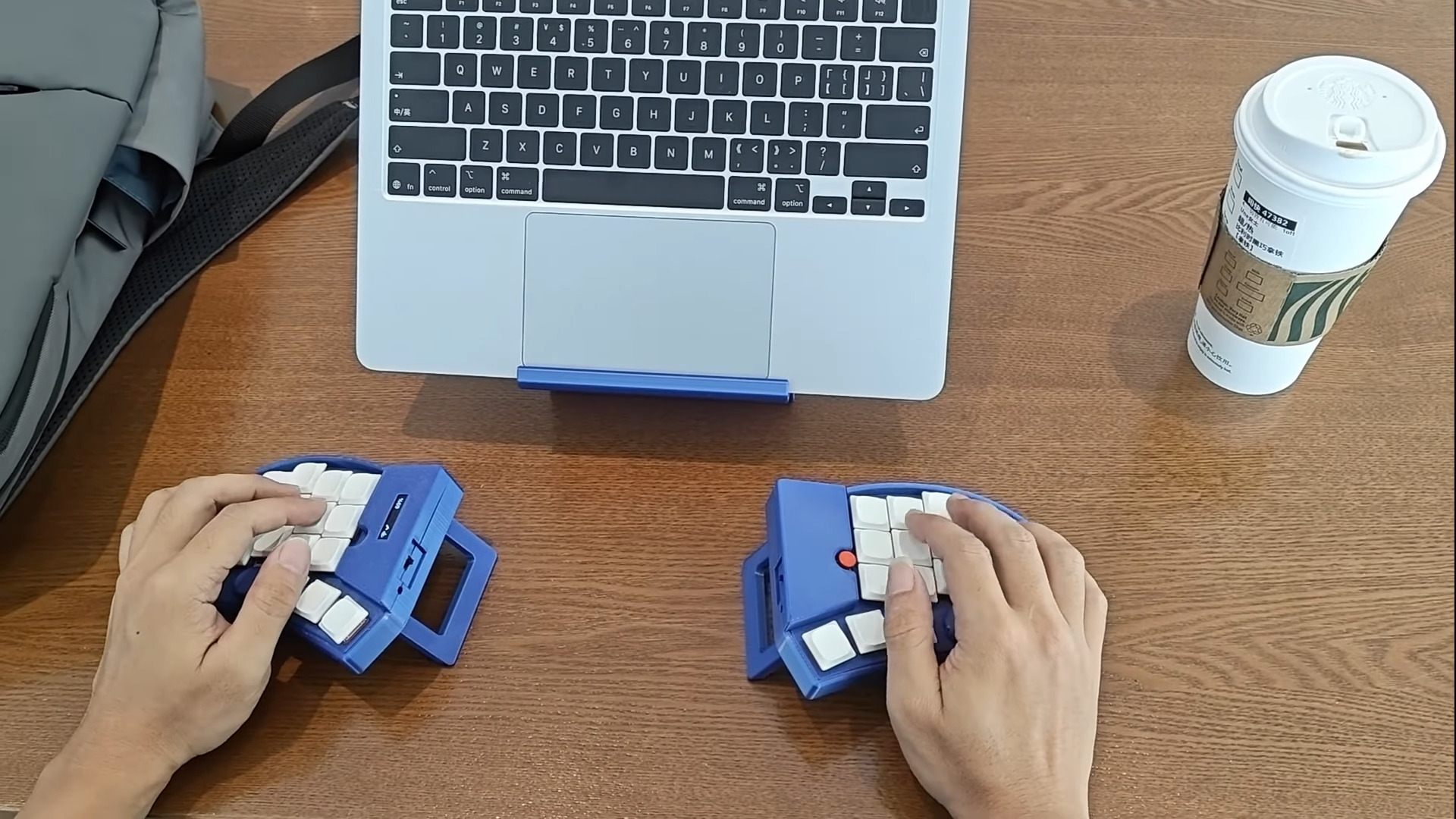
Image by [kleshwong] via YouTubeDepending on your own personal answers to this burning question, the PSKEEB 5 just may be your endgame. And, lucky for you, [kleshwong] plans to open source it soon. All he asks for is your support by watching the video below and doing the usual YouTube-related things.
You’ll see a couple of really neat features, like swing-out tenting feet, a trackpoint, rotary encoders, and the best part of all — a carrying case that doubles as a laptop stand. Sweet!
Eight years in the making, this is the fifth in a series, thus the name: the P stands for Portability; the S for Split. [kleshwong] believes that 36 keys is just right, as long as you have what you need on various layers.
So, do what you can in the like/share/subscribe realm so we can all see the GitHub come to pass, would you? Here’s the spot to watch, and you can enjoy looking through the previous versions while you wait with your forks and stars.
youtube.com/embed/DrDmi9TS-7Q?…
Via reddit
Loongcat40 Has Custom OLED Art
I love me a monoblock split, and I’m speaking to you from one now. They’re split, but you can just toss them across the desk when it’s time to say, eat dinner or carve pink erasers with linoleum tools, and they stay perfectly split and aligned for when you want to pull them back into service.
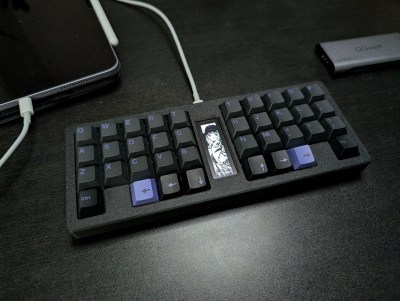
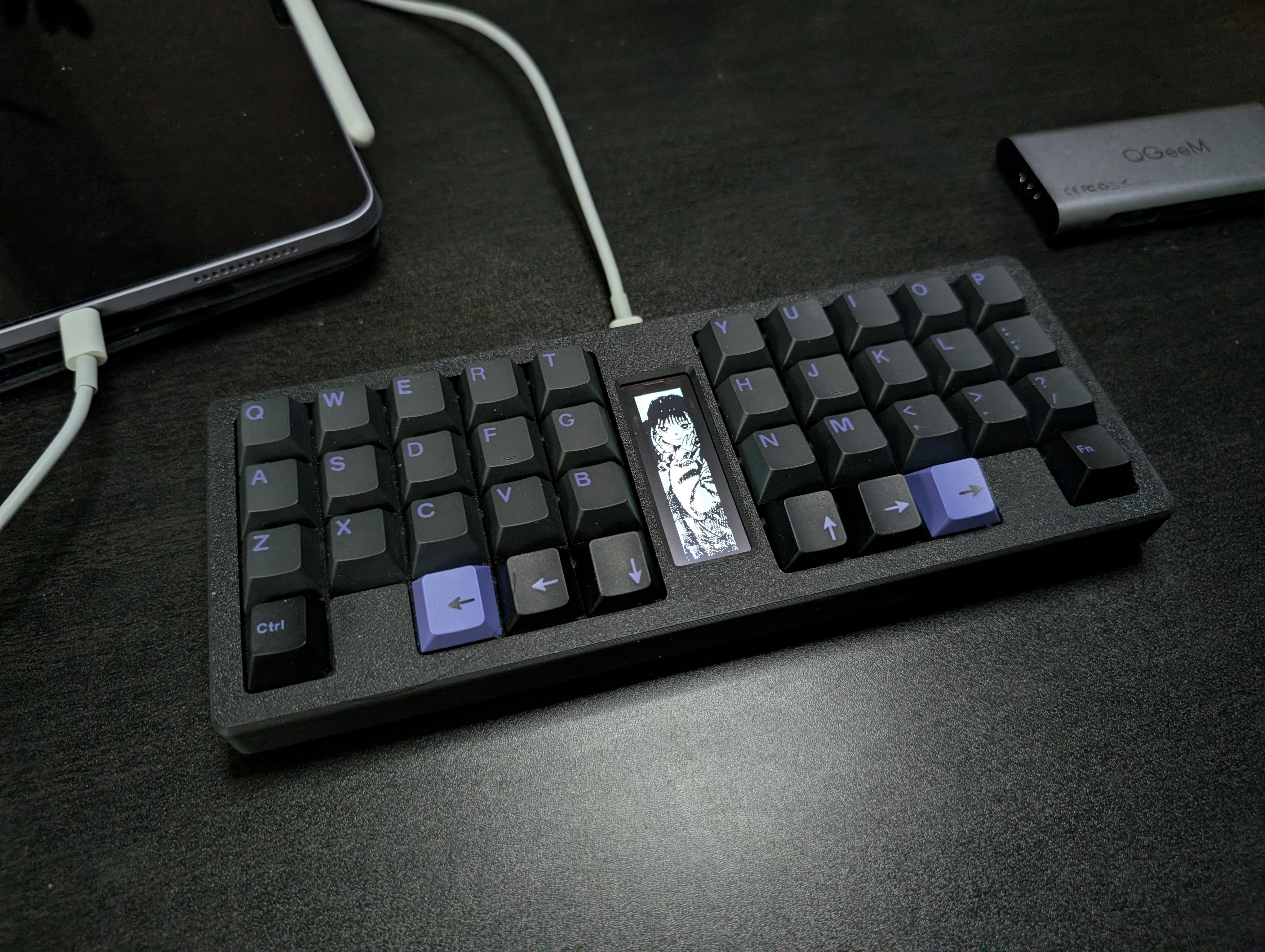
Image by [Christian Lo] via Hackaday.IOLoongcat40 is like a junior monoblock split, and I dig it visually, but I’d have to try it to see if I find it cramped or not for the long term. And it’s so cute that I just might throw a fork at that GitHub.
In between the halves you’ll find a 2.08″ SH1122 OLED display with lovely artwork by [suh_ga]. Yes, that art is baked into the firmware, free of charge.
Loongcat40 is powered by a Raspi Pico and qualifies as a 40%. The custom case is gasket-mounted and 3D-printed.
[Christian Lo] aka [sporewoh] is no stranger to the DIY keyboard game. You may recognize that name as the builder of some very tiny keyboards, so the Loongcat40 is actually kind of huge by comparison.
Via reddit
The Centerfold: WIP Goes with the Flow
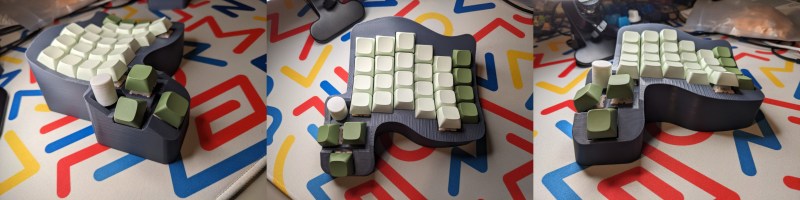
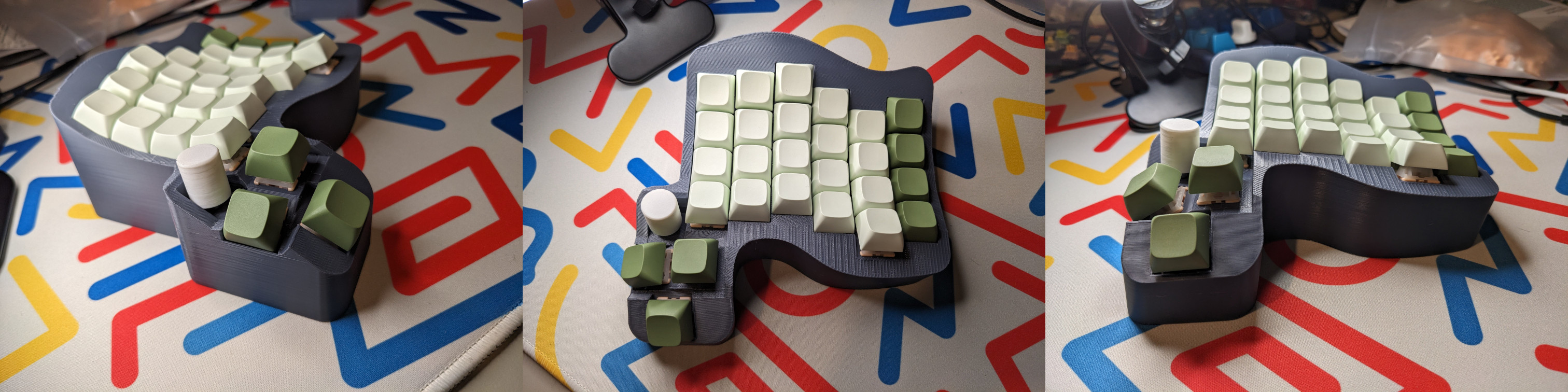
Images by [_dentalt] via redditThis beautiful, as-yet-nameless WIP by [_dentalt] is just captivating to me. It’s amazing what a couple of curves in the right places will do, eh? I love the inspiration for this keyboard. [_dentalt] was at a meetup, and everything was flat and straight except for this one keyboard someone was working on, which was enough for [_dentalt] to give curves a go. There are currently a couple of predicaments at play, so drop by the thread and see if you can help.
Via reddit
Do you rock a sweet set of peripherals on a screamin’ desk pad? Send me a picture along with your handle and all the gory details, and you could be featured here!
Historical Clackers: the Double-Index Pettypet Typewriter
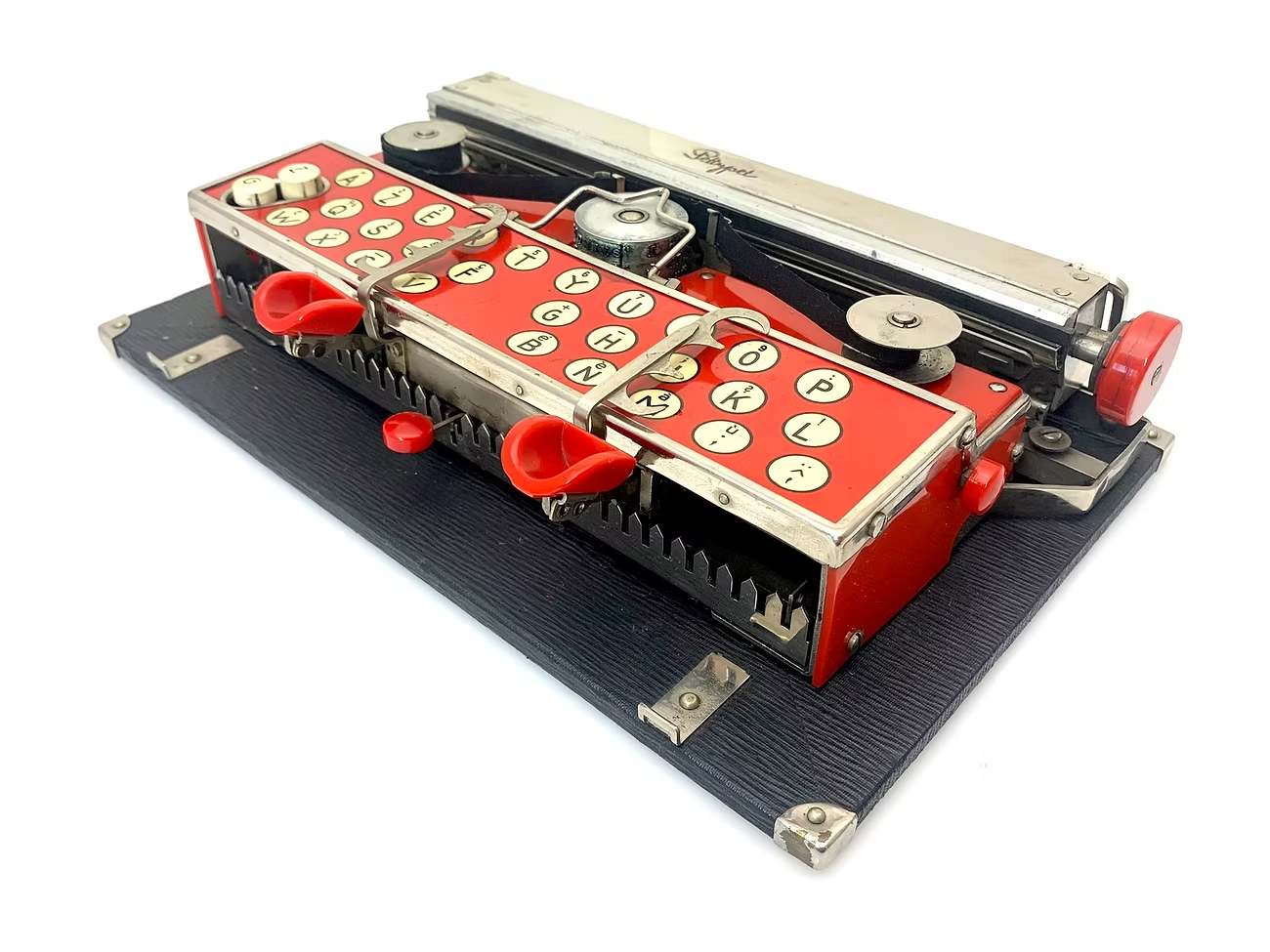
Perhaps the first thing you will notice about the Pettypet after the arresting red color is the matching pair of finger cups. More on this in a minute.
Image via The Antikey Chop
Information is minimal according to The Antikey Chop, and they have collected all that is factual and otherwise about the Pettypet. It debuted in 1930, and was presumably whisked from the world stage the same year.
The Pettypet was invented by someone named Podleci who hailed from Vienna, Austria. Not much else is known about this person. And although the back of the frame is stamped “Patented in all countries — Patents Pending”, the original patent is unknown.
Although it looks like a Bennett, this machine is 25% larger than a Bennett. Those aren’t keycaps, just legends for the two finger cups. You select the character you want, and then press down to print. That cute little red button in the middle is the Spacebar. On the far left, there are two raised Shift buttons, one for capitals and the other for figures.
Somewhat surprisingly, this machine uses a print wheel to apply the type, and a small-looking but otherwise standard two-spool ribbon. There are more cute red buttons on the sides to change the ribbon’s direction. There’s no platen to speak of, just a strip of rubber.
The company name, Pettypet GmbH, and ‘Frankfurt, Germany’ are also stamped into the frame. In addition to this candy-apple red, the Pettypet came in green, blue, and brown. I’d love to see the blue.
Finally, 3D Printed Keyboards That Look Injection-Molded
hackaday.com/wp-content/upload…
Isn’t this lovely? It’s just so smooth! This is a Cygnus printed in PETG and post-processed using only sandpaper and a certain primer filler for car scratches.
About a month ago, [ErgoType] published a guide under another handle. It’s a short guide, and one worth reading. Essentially, [ErgoType], then [FekerFX] sanded it with 400 grit and wiped it down, then applied two coats of primer filler, waiting an hour between coats. Then it gets sanded until smooth.
Finally, apply two more coats, let those dry, and use 1000-grit sandpaper to wet-sand it, adding a drop of soap for a smoother time. Wipe it down again and apply a color primer, then spray paint it and apply a clear coat. Although it seems labor-intensive and time consuming, the results are totally worth it for something you’re going to have your hands on every day.
Got a hot tip that has like, anything to do with keyboards? Help me out by sending in a link or two. Don’t want all the Hackaday scribes to see it? Feel free to email me directly.
hackaday.com/2025/12/23/keebin…